
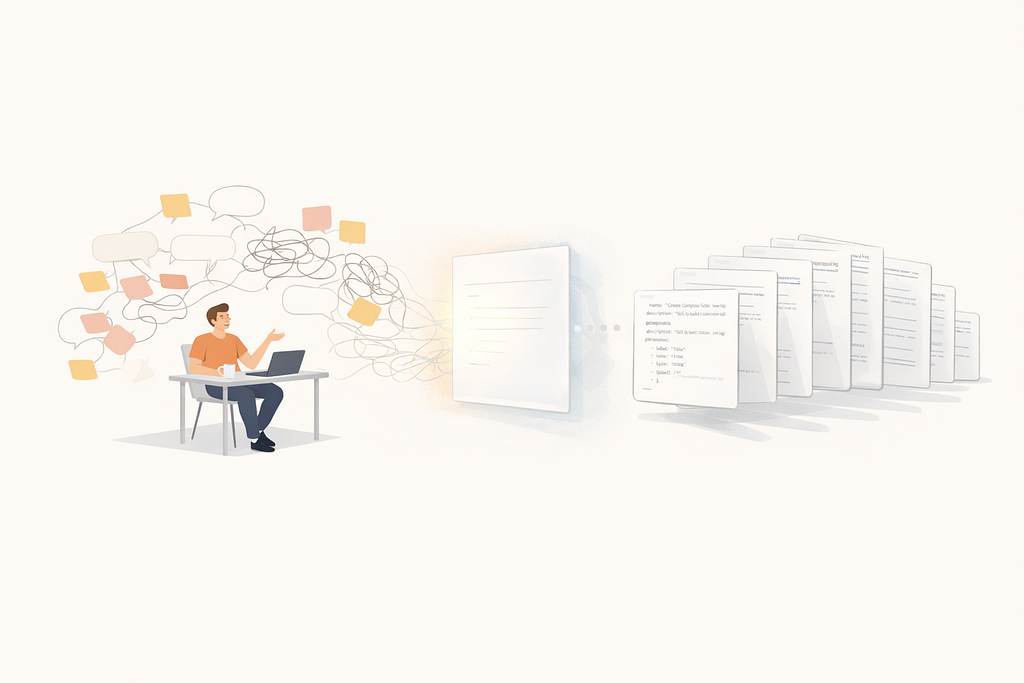
Turning knowledge into reusable AI agent instructions for a small, fast-moving team.
We're a small Android team at Medium, just a handful of engineers maintaining and evolving the Medium Android app. Our codebase follows Clean Architecture with Kotlin, Jetpack Compose, Hilt, Apollo GraphQL, and a growing number of feature modules. Like most Android teams, we have strong opinions about how code should be structured: where ViewModels get their data, how analytics events flow, how feature flags are checked, what a "new screen" looks like from Fragment to preview function.
The problem? Those opinions lived in PR review comments, Slack threads, and the heads of engineers who'd been around long enough to know the patterns. When AI coding assistants arrived, they could generate Kotlin code but not our Kotlin code. The output was generic. It missed our conventions, our component library, our testing style.
Six months ago we started using Cursor as our companion IDE. What changed the game wasn't Cursor itself, it was skills and AGENTS.md: a way to encode our team's playbook so the AI follows it every time.
This post walks through what we built, how we structured it, and what impact it's had.
The Foundation: AGENTS.md as Project Context
Before skills, we wrote an AGENTS.md file at the root of our Android project. Think of it as a README for the AI, a document that's automatically loaded into context whenever any Agents works on our code.
Our AGENTS.md covers:
- Architecture overview: Module structure (data, domain, design, feature modules), layer responsibilities
- Key patterns: How we do dependency injection (Hilt), state management (StateFlow + SharedFlow), navigation (centralized Router), repository pattern (Apollo + Result<T>)
- Conventions: Compose best practices, ViewModel patterns, testing strategy
- Common commands: Gradle tasks for building, testing, and running Detekt
This gives Agent baseline awareness of our project. When it generates a ViewModel, it already knows to use @HiltViewModel, StateFlow, and @Immutable sealed interfaces. When it creates a test, it reaches for MockK and Turbine instead of Mockito and LiveData.
But AGENTS.md is passive context. For multi-step, opinionated workflows, we needed something more structured.
Skills: Step-by-Step Playbooks for the AI
An Agent skill is a Markdown file (stored in .agents/skills/) that teaches the AI a specific workflow. It's not a template, it's closer to a runbook: "here are the files involved, here's the order of operations, here are the patterns to follow, here's the checklist to verify."
We've built 13 skills so far. They fall into four categories.
Scaffolding Skills – "Create This From Scratch"
These are the highest-leverage skills. They replace the 30-60 minutes an engineer spends setting up boilerplate for a new screen, module, or layer component.
create-compose-screen: Our most detailed skill. It walks through creating a ViewModel with assisted injection, listener interfaces (in separate files), a Screen composable with a @VisibleForTesting overload, previews for every state, and test tags. A single prompt like "create a new screen for user notifications" produces 6-8 files that follow our exact patterns.
The skill specifies structure like two versions of every screen composable:
// ViewModel-injecting version
@Composable
internal fun MyFeatureScreen(
    itemId: String,
    referrerSource: String,
    listener: MyFeatureListener,
    viewModel: MyFeatureViewModel = hiltViewModel { factory: MyFeatureViewModel.Factory ->
        factory.create(itemId = itemId, referrerSource = referrerSource)
    },
)

// @VisibleForTesting version (for previews and tests - no ViewModel dependency)
@VisibleForTesting
@Composable
internal fun MyFeatureScreen(
    viewState: MyFeatureViewModel.ViewState,
    dialogState: MyFeatureViewModel.DialogState?,
    snackbarHostState: SnackbarHostState,
    listener: MyFeatureInternalListener,
)
Without the skill, the AI consistently generates a single composable tightly coupled to the ViewModel, which makes previews and UI tests painful.
create-feature-module: Handles directory structure, build.gradle.kts with the correct plugins and base script, settings.gradle.kts registration, and app-level dependency wiring.
create-use-case and create-repository Enforce our Clean Architecture layers. Use cases always use operator fun invoke(), return Result<T>, log with our Logger, and track analytics on success. Repositories use @Singleton, safeExecuteNotNull (our Apollo wrapper), and support FetchPolicy.
Migration Skills – "Modernize This Code"
We're in the middle of two long-running migrations, and skills let the AI do the mechanical work.
material3-migration: Contains an exhaustive mapping table of Material 2 to Material 3 component replacements (60+ components). It covers scaffold changes, LocalMinimumInteractiveComponentSize, theme references, and the subtle naming conventions in our design system (MediumScaffold becomes MediumScaffold3, imports shift from component to component3). Without this skill, the AI would have no way to know that MediumPullRefreshIndicator becomes MediumPullToRefreshBox that's not in any public documentation.
compose-viewmodel-migration: Guides migrating screens from the old pattern (Fragment creates ViewModel, passes streams to composable) to the new pattern (composable creates ViewModel via hiltViewModel with assisted injection). It covers the BundleInfo pattern, listener splitting, and the @VisibleForTesting overload.
Pattern Enforcement Skills – "Do It the Right Way"
Some patterns are subtle enough that even experienced engineers occasionally get them wrong. These skills exist to prevent specific categories of bugs and review comments.
viewmodel-flags-usage: Our most opinionated skill. Feature flags must be checked once at ViewModel initialization and saved as a private val. The result is passed through ViewState as a boolean. Never check flags in composables. Never recompute in a Flow.
// Check once at init, save - screen won't change during use
private val isAddressBookEnabled: Boolean = flags.isEnabled(Flag.ENABLE_ADDRESS_BOOK)
source-referrer-tracking: Defines the chain: a screen's source becomes the next screen's referrerSource. The skill explains SourceParameter serialization, the convention that source should be the last parameter in ViewState data classes, and the anti-pattern of accidentally passing referrerSource forward instead of source.
implement-analytics-event: Covers the full lifecycle: proto registration in Wire config, tracker interface in core, default implementation in app, Hilt binding, SourceNames constants, and the reportScreenViewed() pattern with deduplication.
Workflow Skills – "Handle This Repetitive Task"
add-deeplink: Our deeplink handler is a 1000+ line first-match-wins dispatcher. The skill explains the ordering rules (narrow before wide, fragment matches before path matches), provides five patterns (simple path, path + fragment + auth, regex-based dynamic segments), and specifies the test template including both logged-in and logged-out variants.
add-medium-uri: Three files must be updated in a specific order (interface, NoOp, default implementation) with naming conventions that vary by URL domain. Small task, but easy to get wrong without the skill.
check-and-add-translations: Finds missing translations across all modules by diffing values/ against values-X/, then adds them with the correct typography conventions (typographic apostrophe, never escaped).
write-unit-tests: Defines our testing conventions: backtick test names as human-readable sentences, Given/When/Then structure, MockK annotations, MainDispatcherRule for coroutine testing, Turbine for Flow assertions, Robolectric for Compose UI tests, and always wrapping screens in MediumTheme3.
What We Learned
Skills are living documents. We’ve iterated on most skills 3–5 times. The first version of create-compose-screen didn't mention the listener splitting pattern. The add-deeplink skill originally lacked the SUSI destination rule. Each time we caught a pattern break, we updated the skill.
Specificity beats generality. The skills that work best are hyper-specific to our codebase. material3-migration is essentially a lookup table. add-deeplink describes the exact ordering of our handler. These aren't portable to other projects — and that's the point.
Skills compound. A single feature request might trigger create-feature-module, then create-compose-screen, then create-use-case, then create-repository, then implement-analytics-event, then write-unit-tests. Each skill handles its slice correctly. The AI chains them based on what you ask for.
Consistency is the real win. With a small team, the risk isn't that code is bad it's that it's inconsistent. One engineer checks flags in a Flow, another checks at init. Skills eliminate that drift. Every new screen looks structurally identical, regardless of who (or what) wrote it.
Speed is the visible win. Setting up a new screen with ViewModel, listeners, composable, previews, test tags, and tests used to take most of a morning. Now it takes a prompt and a review pass.
Skills can also be written by an Agent, not just Developers
You don't have to write skills yourself. An Agent can write them for you.
The process works by having the Agent ask you the right questions, then observe your existing code to draft the skill. Here's how a typical session looks:
"I want to create a skill for adding a new analytics event. Can you walk me through how you usually do it?"
The Agent asks:
- Which files are involved, and in what order?
- Are there naming conventions to follow?
- What's the checklist you mentally run before opening a PR?
- Can you point me to a recent PR where you did this correctly?
That last question is key. PR examples are the fastest way to ground a skill. When you share a PR link (or paste the diff), the Agent can reverse-engineer the pattern: what changed, in which files, in what order, and what the code structure looks like. It then drafts the skill as a Markdown runbook, which you review and refine.
A good prompt to get started:
"Look at this PR: https://medium.engineering/making-ai-write-android-code-our-way-a-practical-guide-to-agent-skills-4e7b085d8e50?source=rss—-2817475205d3—4. I want to write an Agent skill that teaches an AI to reproduce this pattern from scratch. Ask me any clarifying questions you need, then write the skill file."
The bar for a useful skill isn't perfection on the first try. It's one less PR review comment next week.
How to Start
If you're on an Android team (or any team with strong conventions), here's how we'd recommend starting:
- Write your AGENTS.md first. Document your architecture, patterns, and conventions. This is the foundation.
- Start with scaffolding skills. Pick your most boilerplate-heavy task (for us: new screens) and write a skill for it. Include the checklist, the file structure, and code patterns.
- Add migration skills for active migrations. If you're migrating from Material 2 to Material 3, from RxJava to Coroutines, or from XML to Compose encode the mapping.
- Encode your review feedback. Every time you leave the same PR comment twice, consider writing a skill for it.
- Keep skills in your repo. Ours live in .agents/skills/ and are version-controlled. When patterns change, the skills change with them.
What's Next
Our AGENTS.md currently carries a lot of weight. It describes our architecture, patterns, conventions, testing strategy, and common commands all in one file. That worked as a starting point, but it has limits: everything is loaded into context all the time, even when only a fraction is relevant to the task at hand.
Our next step is breaking AGENTS.md into dedicated Agent rules scoped, file-aware instructions that activate only when relevant. For example:
- A rule for Compose conventions that activates when editing *.kt files under ui/ packages
- A rule for repository patterns that activates when working in data/ directories
- A rule for testing conventions that activates when editing files under src/test/
- A rule for ViewModel patterns (state management, SavedStateHandle, error handling) scoped to ViewModel files
This is the natural evolution: AGENTS.md gives the AI everything upfront, rules give it the right knowledge at the right time. Smaller context windows, more precise output.
Skills teach the AI how to write code. Commands go further — they automate workflows. One we're actively working on: a release diff command that compares the current release branch to the previous one, summarizes the changelog (new features, bug fixes, migrations), and creates a Linear ticket with the formatted release notes. Today that's a manual process: someone digs through git log, writes up the changes, copies them into Linear. A command could do it in seconds. We see potential for other commands too, generating weekly team reports from merged PRs, auditing a feature module's dependency graph, or preparing QA checklists from the diff.
Other explorations:
- Skills for more complex workflows
- Skills for functional testing
- Skills for Compose screen testing with more sophisticated interaction patterns
The “bet” we're making is simple: the value of an AI coding assistant scales with how much of your team's knowledge you can encode into its context. Skills are how we're doing that.

Making AI Write Android Code Our Way: A Practical Guide to Agent Skills was originally published in Medium Engineering on Medium, where people are continuing the conversation by highlighting and responding to this story.
Source: medium.engineering